
Why Engaging with Research Workflows Pays Off


 .
.In a dissertation or other academic work, a bibliography with 300 entries is not uncommon. But even this number doesn't reflect the countless sources that go into a research project: further literature, unlisted primary sources, conference notes, and feedback from colleagues. A central task when writing a PhD thesis or an academic article is to productively relate all these individual items to each other. It's possible to manage this with pen and paper, file folders, individual Word documents, and marked PDF files. Many successful researchers do it this way. However, bringing all these sources together is the ideal use case for a digital solution. What you need is a note system that is flexible enough to adapt to complex projects, can link individual elements together, is quickly searchable, and automates repetitive tasks for you. In this blog post, I want to demonstrate why it's worth investing time in optimizing your own workflow and in a productive note-taking system.
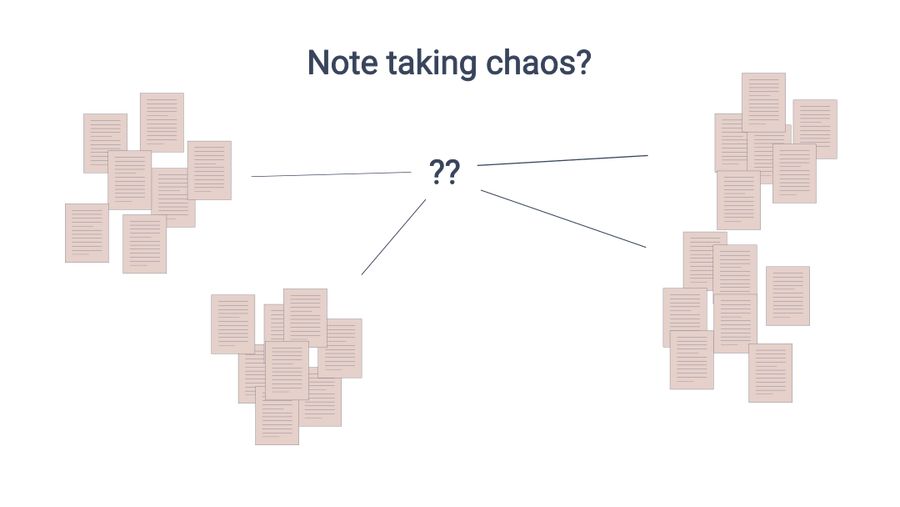
Countless Sources, One Product: The Fundamental Organization Problem in Research and PhD Projects
As mentioned above, the sources appearing in a bibliography are far from all the ones you engage with for an academic paper. There are countless additional journal articles and monographs that lead down dead ends, which cannot be included in the dissertation or article, or that deal with topics that initially interested you but which you ultimately decided to abandon. Throughout a PhD project, your have to read hundreds of texts. If you document this process well, you save yourself a lot of time and trouble.
The obvious advantage of doing this is that you can find the knowledge you actually need again. This sounds trivial, but literature notes must still make sense even after several months or years, otherwise you have to re-read all those texts when you're already at a different point in the project.
It also makes sense to record what you no longer need. I have often caught myself reading the same book multiple times because I forgot that I had already discarded it as unimportant. Eventually, I created a list for this purpose. This saved me a lot of time and book hauling.
Those working with a large number of historical documents, interviews, art objects, films, short stories, or other granular data sources may also want to create notes for each of these items. Hundreds or thousands of elements can easily accumulate. Conference sessions, conversations with colleagues or supervisors, or even personal thoughts all end up in some form of note-taking.
Organizing all this is a huge effort. You don't want to lose anything, you want to find things again, and you want to extract value from them. And even if you manage that, you haven't yet connected all these small elements with each other. It's precisely these connections that make up original academic contributions. This should be reflected in your own workflow.
A Good Academic Workflow Provides Traceability, Content Value, and Flexibility
There is no single ideal workflow for all research projects. Each dissertation and paper has its own requirements, even within the same discipline, and researchers also differ greatly in their personal preferences and needs. Some basic requirements should still be met by all workflows. These stem from the demands that any large project involving data and knowledge processing places on us.
I have already mentioned traceability: You must be able to find knowledge again. But a good workflow brings additional value beyond this basic requirement.
A good workflow provides a time advantage. I worked actively on my dissertation from April 2022 to March 2025, exactly three years. Even though I had of course prepared beforehand (writing the proposal etc.) and my master's thesis had already covered part of the subject matter, this is quite a short time for a historically-oriented dissertation. Without wanting to minimize other factors, I would still claim that very efficient handling of linked notes contributed significantly to my being able to complete my dissertation within the funded timeframe and with excellent results.
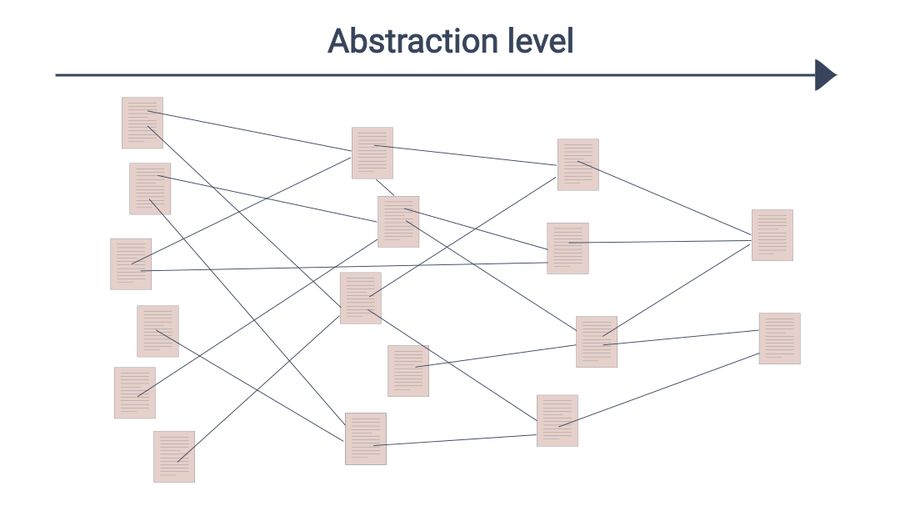
These linked notes also brought me content value. If producing research means showing new connections and drawing new conclusions, you should make it as easy as possible to recognize these connections. Niklas Luhmann achieved this with his famous zettelkasten system. Fortunately, we can today automate this very tedious work to a large extent by using note-taking programs like Obsidian, which provide the simple but effective means of linking from one note to another.
Workflows should be flexible to adapt to changing needs. A major weakness many note-taking programs have is that they force a certain way of note-taking through their program structure. They have predefined categories or organizational structures, don't consider important functionalities, or are simply cumbersome to use. However, projects rarely follow these predetermined paths.
Ultimately, workflows should be practical so that you actually use them. Some adjustment period is unavoidable, but afterward it should flow smoothly.
A good workflow and the tools used within it accordingly are
- traceable (information must still make sense even with time gaps),
- linked (information must be related to each other),
- practical (the workflow should not distract you from actual work),
- time-saving (the workflow should provide a time advantage) and
- productive (the workflow should provide content value).
What Does Such a Workflow Look Like in Practice?
Unfortunately, there is no single tool that can map an entire academic workflow from source to finished text. I worked on my dissertation using Tropy (image database for primary sources), Zotero (literature management), Obsidian (linked notes), and Zettlr (for writing). Unfortunately, you can't get away with much less. However, the combination of multiple tools does bring the necessary flexibility to the system.
It's important that you make the transitions between programs as smooth as possible. Unfortunately, this isn't always given from the start. With plugins and good connection tools, however, it worked very well after an adjustment period.
How these tools work together, I will report in this blog. An overview is available on my page about digital workflows. There are also details about workshops on this topic. Also, feel free to get in touch!